The Best AI Photo Restoration Tools at a Glance
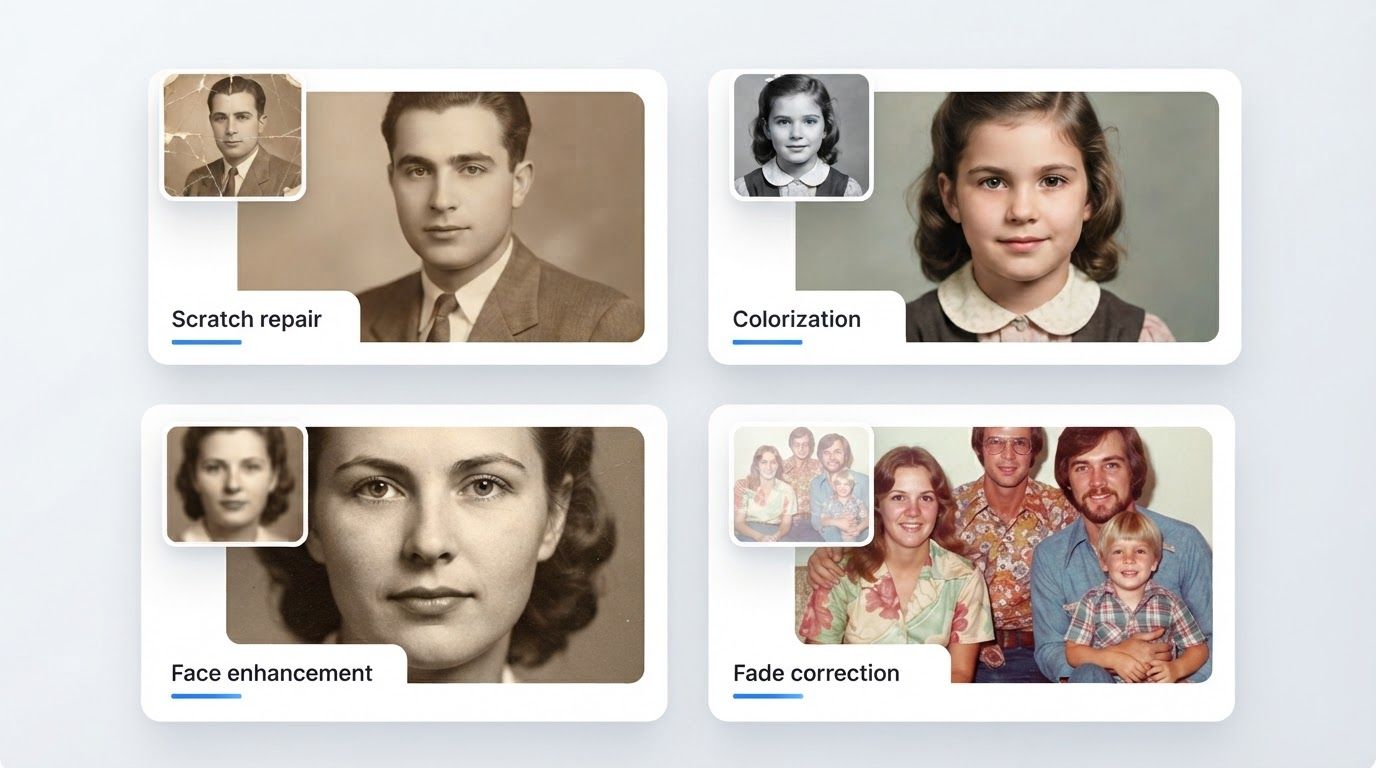
AI photo restoration has gone from novelty to genuinely reliable: today's tools repair scratches and tears, fix fading, colorize black-and-white photos, and sharpen faces in seconds. But the market splits into very different products—browser tools, phone apps, desktop software—with very different pricing models, from free credits to weekly subscriptions to one-time licenses.
We compared the leading options on four criteria: what damage they can actually fix (scratches, fading, color, faces), platform, free tier and watermarks, and pricing model. Here's how they stack up in 2026.
| Tool | Platform | Best for | Free tier | Pricing model |
|---|---|---|---|---|
| PixExtender | Web | All-round restoration + full toolkit | Free credits, no watermark | Freemium credits |
| Remini | Web, iOS, Android | Face enhancement | Limited trial | Weekly/monthly subscription |
| MyHeritage | Web, iOS, Android | Genealogy projects | ~10 photos, watermarked | Annual family-history plans |
| VanceAI | Web, Windows | Fine-grained control | Few monthly credits | Credits or subscription |
| Fotor | Web, mobile, desktop | Casual quick edits | Watermarked exports | Subscription |
| PhotoGlory | Windows | Manual + AI editing offline | Trial | One-time license |
| Photomyne | iOS, Android | Bulk scanning of print albums | 3-day trial | Subscription |
1. PixExtender Photo Restoration — Best Overall
Platform: Web (nothing to install) · Free tier: trial credits, no watermark
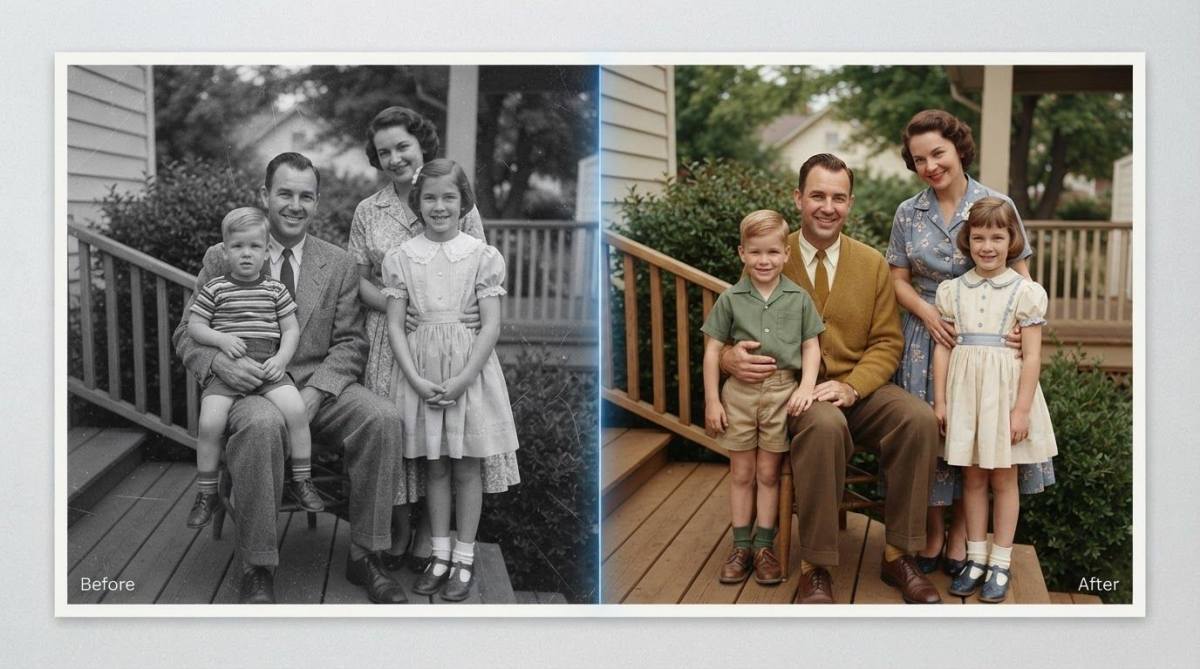
PixExtender's Photo Restoration covers the full restoration checklist in a single pass: it repairs scratches, tears, and creases, fixes fading and discoloration, reconstructs damaged regions with inpainting, and colorizes black-and-white photos automatically. Upload a scan, click Restore, download—the whole process takes under a minute, entirely in the browser.
What sets it apart is what surrounds the restoration tool. Old photos usually need more than one fix, and PixExtender has the complete pipeline in one place: restore the damage, then polish with the Photo Enhancer, then enlarge for printing with the Image Upscaler—no exporting between apps. Free trial credits require no credit card, and results carry no watermark.
Pros:
- One-pass repair + colorization, results in seconds
- No watermark on free results; no account-and-app hoops
- Enhancer and upscaler in the same toolkit for the full old-photo workflow
- Simple credits, no weekly-subscription traps
Cons:
- Web only—no offline desktop version
- No manual retouching brushes for pixel-level control
Try it: PixExtender Photo Restoration — see the step-by-step in How to Restore Old Photos.
2. Remini — Best for Face Enhancement
Platform: Web, iOS, Android · Pricing: subscription, billed weekly on the web plan
Remini built its reputation on one thing: faces. Its face-reconstruction models are excellent at turning a blurry, low-resolution face into a sharp portrait, which makes it popular for old group photos where faces are tiny and soft.
The trade-offs are significant, though. Remini is subscription-first—web plans run roughly $7–10 per week depending on tier—and its review pages are dominated by billing complaints: users report being charged after cancelling and finding the web-subscription cancellation flow confusing. The enhancement style also leans "beautified"; some faces come out looking subtly unlike the person.
Pros: best-in-class face reconstruction; easy mobile apps Cons: weekly billing adds up fast; widespread billing/cancellation complaints (sub-2-star Trustpilot average); faces can look over-processed; restoration beyond faces is limited
3. MyHeritage — Best for Genealogy Projects
Platform: Web, iOS, Android · Pricing: free for ~10 photos (watermarked); unlimited use requires a family-history subscription
MyHeritage bundles a strong photo suite—In Color colorization, Photo Enhancer for faces, Photo Repair for scratches—into its genealogy platform. If you're already building a family tree there, the photo tools integrate beautifully with your research.
If you only want photo restoration, the economics are awkward: the free tier caps out around ten photos with a corner watermark, and unlimited access is tied to family-history plans that cost well over $100 per year—you're paying for a genealogy product to get a photo tool.
Pros: solid colorization and repair; great if you want genealogy features anyway Cons: account required; watermarked free results; photo tools bundled with expensive subscriptions rather than sold separately
4. VanceAI — Best for Fine-Grained Control
Platform: Web, Windows · Pricing: small free monthly allowance, then credit packs (from $4.95) or subscription ($9.95/month)
VanceAI's Photo Restorer lets you chain models—scratch removal, colorization, face enhancement, denoising, upscaling—and tweak how each is applied, which appeals to users who want more knobs than a one-click tool offers. Reviewers consistently rate it well on mid-century photos with moderate damage.
The credit system is its weak point for casual use: each processed download costs credits, the free monthly allowance is tiny, and estimating what a shoebox of photos will cost takes some math.
Pros: flexible model chaining; solid scratch detection; Windows desktop option Cons: credit accounting is fiddly; minimal free tier; utilitarian interface
5. Fotor — Best for Casual Quick Edits
Platform: Web, mobile, desktop · Pricing: free tier exports with watermark; Pro subscription removes it
Fotor is a general-purpose editor with a one-click old-photo restorer (fading, scratches, blur, plus colorization) built in. It's fast and beginner-friendly, and handy if you also want basic editing—cropping, filters, collages—in the same app.
The catch: on the current free plan, exports carry a watermark, and the restoration features effectively sit behind the Pro subscription. Its review pages also show a pattern of auto-renewal complaints, so read the billing terms before subscribing.
Pros: dead-simple; full editor attached Cons: watermarked free exports; restoration locked behind subscription in practice; renewal complaints in reviews
6. PhotoGlory — Best One-Time Purchase
Platform: Windows only · Pricing: one-time license, roughly $20–40 by edition (no subscription)
PhotoGlory is desktop software that combines AI restoration and colorization with manual tools—clone stamp, healing, exposure controls—so you can let the AI do the heavy lifting and then hand-fix details. For subscription-fatigued users, its buy-once pricing is the standout feature, and working offline suits private family archives.
Pros: pay once, own it; manual retouching on top of AI; fully offline Cons: Windows only; requires download/install; AI quality trails the best cloud tools
7. Photomyne — Best for Digitizing Whole Albums
Platform: iOS, Android · Pricing: annual subscription; 3-day trial converts to paid automatically
Photomyne solves a different problem than the rest of this list: getting hundreds of physical prints into your phone. Point your camera at an album page and it auto-detects, crops, and straightens each photo, with light color revival and optional colorization on top.
As a restorer it's shallow—it won't fix scratches or serious damage—and its paywall is aggressive: exporting and sharing require the subscription, and the trial auto-converts if you don't cancel. Think of it as the scanning front-end, after which a dedicated tool handles the actual restoration.
Pros: fastest way to digitize stacks of prints; auto-crop is excellent Cons: minimal actual restoration; export locked behind subscription; auto-converting trial
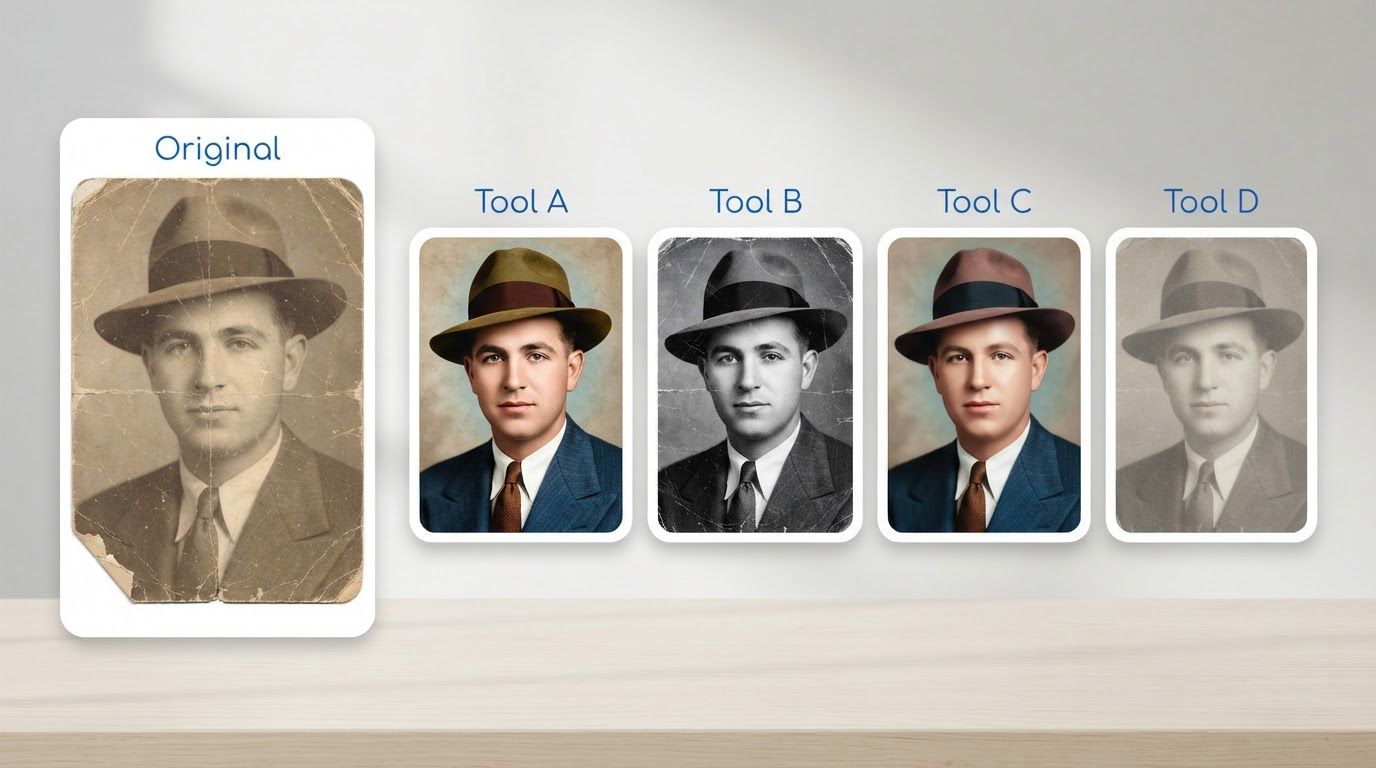
Which Restoration Tool Should You Pick?
- Most people, most photos → PixExtender: full damage repair + colorization in one free, watermark-free pass, with enhancement and upscaling one click away.
- Tiny blurry faces are the main problem → Remini—just watch the billing.
- You're building a family tree anyway → MyHeritage.
- You want to tweak every step → VanceAI.
- You refuse to subscribe to anything → PhotoGlory (Windows).
- You have 500 prints still in albums → Photomyne to digitize, then restore the keepers elsewhere.
A note on pricing: AI tool pricing changes constantly—figures above are accurate as of this writing (July 2026), but always check the tool's own pricing page before committing.
Frequently Asked Questions
What's the best free AI photo restoration tool?
PixExtender offers free trial credits with no watermark and no credit card, which makes it the strongest genuinely-free starting point. Most alternatives' free tiers add watermarks (Fotor, MyHeritage) or cap you at a handful of images.
Can AI restoration fix badly torn photos?
Modern inpainting reconstructs missing regions impressively well for backgrounds and textures, and reasonably for moderate damage over subjects. For large missing chunks over faces, every tool on this list produces a best-effort reconstruction, not a guaranteed likeness. Details in How to Restore Old Photos.
Do these tools colorize black-and-white photos too?
Most do—PixExtender, MyHeritage, VanceAI, Fotor, and PhotoGlory all include colorization. Remember that AI colors are plausible predictions, not the photo's true original colors; see How to Colorize Black and White Photos for how that works and how to get natural results.
Should I restore, enhance, or upscale an old photo first?
Restore first (damage repair + color), enhance second (clarity), upscale last (size for printing). Running the steps in this order means each stage builds on a clean foundation—the full logic is in Upscale vs Enhance vs Extend vs Restore.
Is it safe to upload family photos to these tools?
Web tools process your image on their servers, so check each service's privacy policy—particularly retention (how long uploads are stored) and whether images are used for training. If photos must never leave your computer, an offline desktop option like PhotoGlory is the conservative choice.
Restore Your First Photo Free
The fastest way to choose a tool is to feed it a real photo from your own collection and judge the result. Start with the one that's free, watermark-free, and takes under a minute:
Try PixExtender's Photo Restoration free → PixExtender.com
New to AI photo tools? Get the full map first: Upscale vs Enhance vs Extend vs Restore.