
AI Image Extender: Expand Your Images to Any Size, Seamlessly
Expand your image to the exact size you need and fit any platform's aspect ratio or size requirements. AI fills in the missing background seamlessly, original untouched, up to 4096px, free to try.
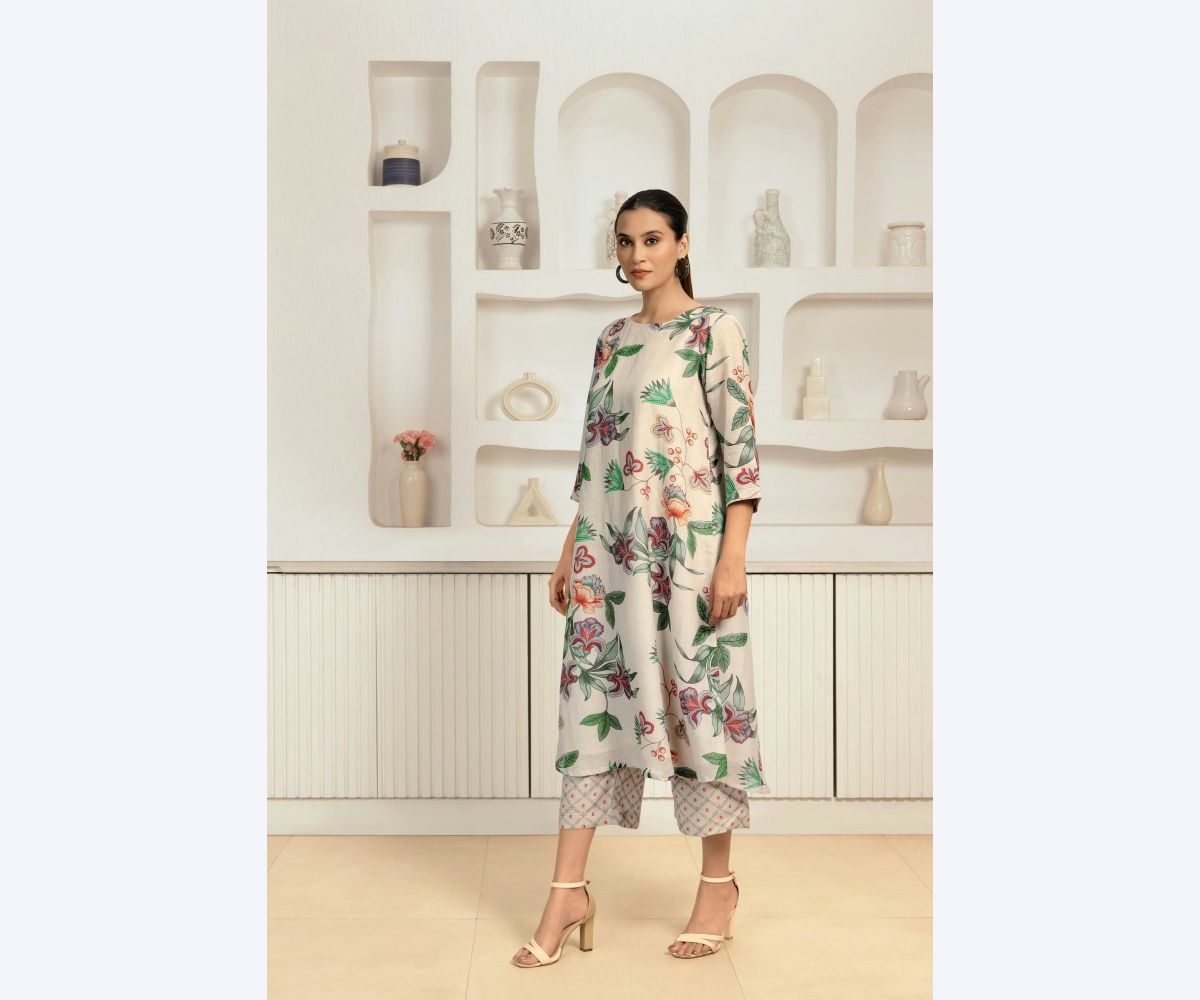
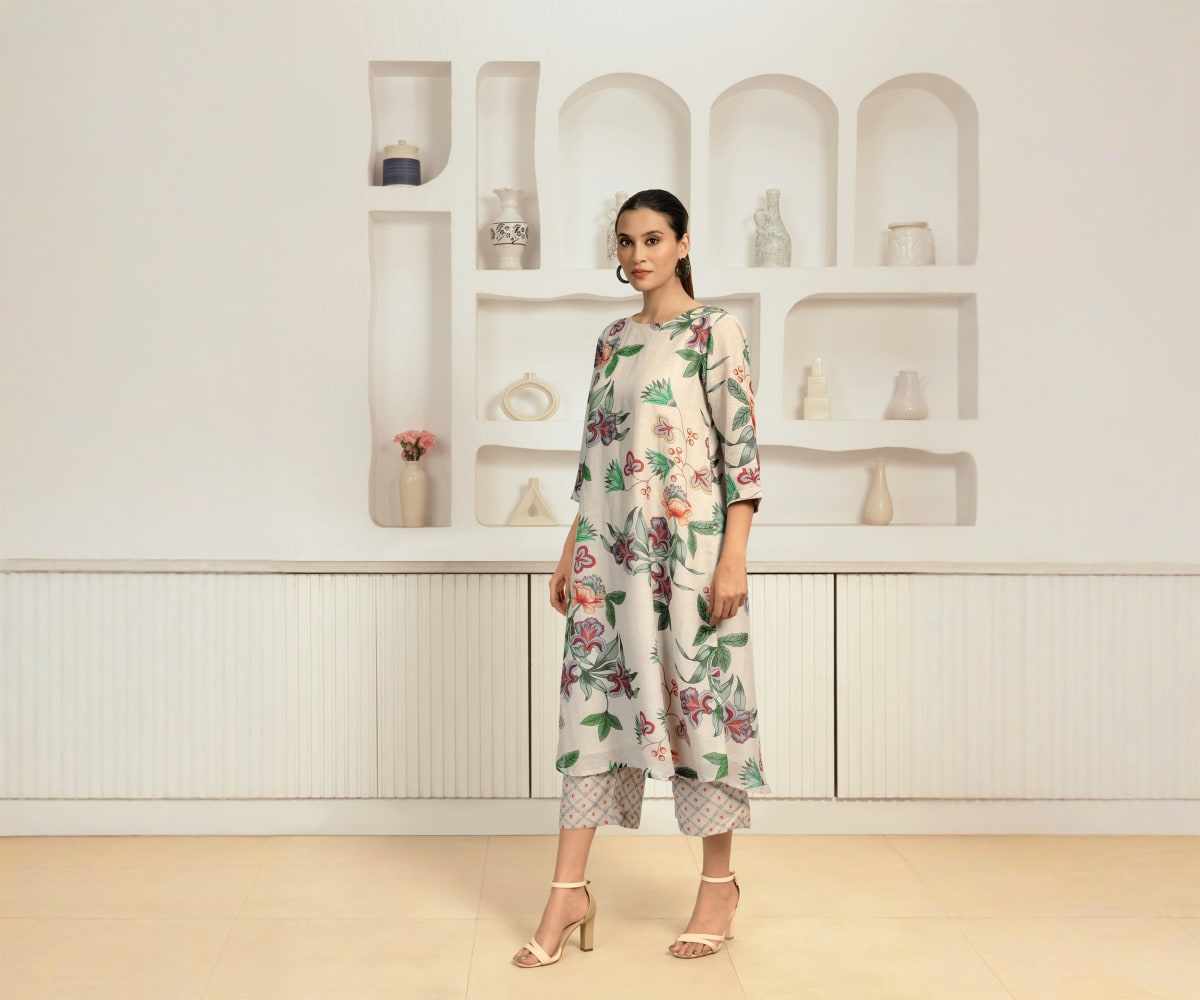
Why Our AI Image Extender: Seamless Results That Look Original
Seamless Image Expansion - No Visible Seams
Advanced AI technology reads the lighting, texture, and depth at the edges of your image and generates new background that matches the original image seamlessly. No stretched pixels, no blurry borders - just a bigger picture that looks like it was shot that way.
AI Expand Image to 4096px Without Losing Quality
Choose a platform preset or custom image dimensions up to 4096 x 4096 px. Only the canvas grows - the original image stays pixel-for-pixel untouched, so you expand images without losing quality. Sharp enough for print, exact enough for ad specs.
Expand Images in Batches - 20 at Once
Apply one ratio and one setting across a whole product set or content batch, and extend images in any direction with consistent results on every image. What used to be an afternoon of manual editing becomes one upload and one click.
Effortlessly Expand an Image in Under a Minute
No layers, no masks, no design skills. Upload your photo, pick the size, and download your extended image in seconds. If you can attach a file to an email, you can rescue a badly cropped picture.
Expand Images with AI - Whatever Doesn't Fit, Make It Fit
Three problems bring people here: platform sizes that crop your content, marketplace specs your product images don't meet, and pictures cropped too tight. Use PixExtender AI Image Extender to fix all three - free online, no design skills needed.
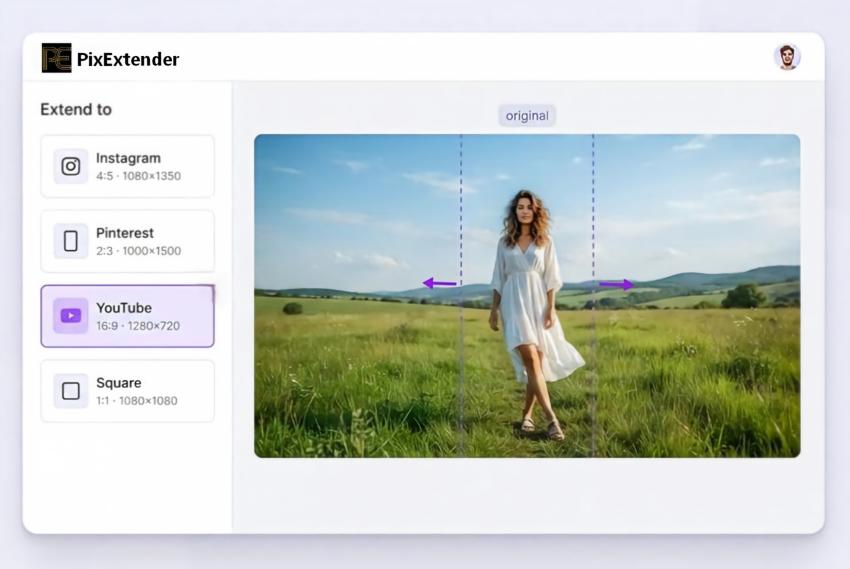
Extend Your Image to Any Aspect Ratio
Instagram trims your 4:5, Pinterest wants 2:3, YouTube needs 1280x720 - and auto-centering cuts off exactly the part you cared about. Pick a preset and expand your image to fit the feed, instead of letting the feed crop it.
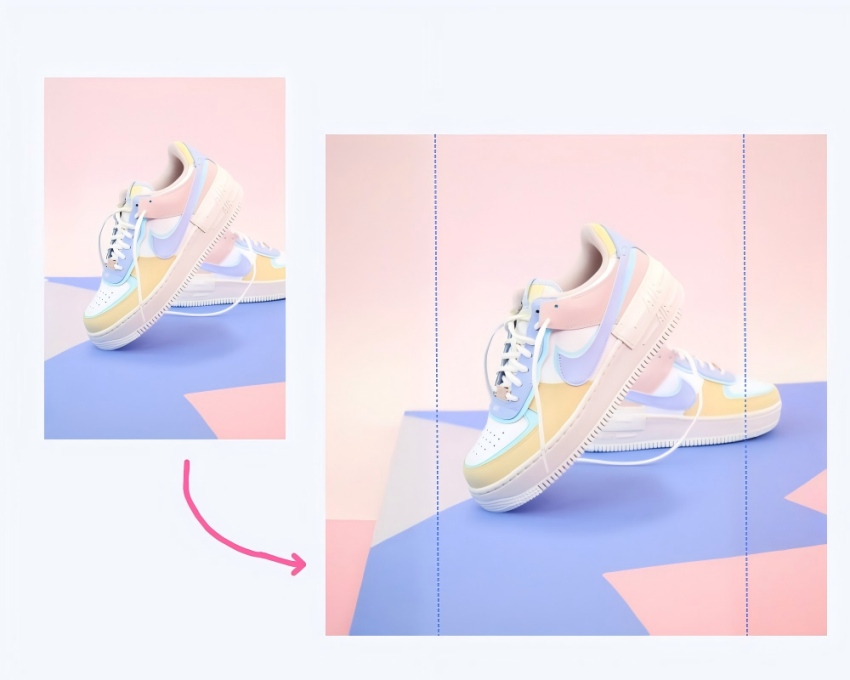
Expand Product Images to Marketplace Specs
Your product shot is 3:4 but the listing needs 1:1? The AI extends only the background - product, logo, and price text stay exactly as shot, with no drop in image quality. Batch a whole catalog to one consistent spec, no reshoot needed.
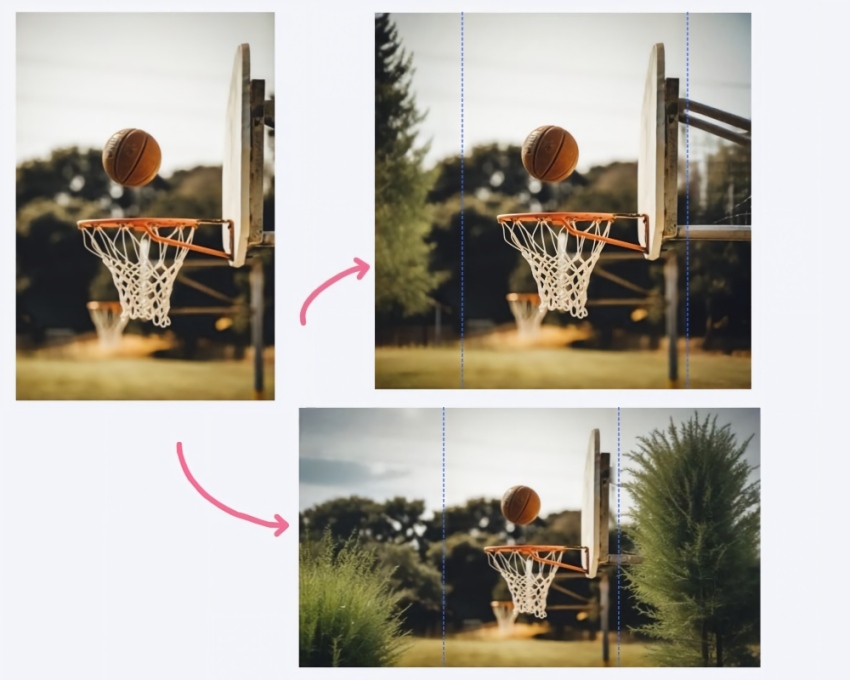
Uncrop Images and Restore Missing Details
A sky that ends too soon, a subject jammed against the edge, a scan that lost its margins. AI outpainting rebuilds the scene - matching light, texture, and depth of field - without moving your subject a single pixel.
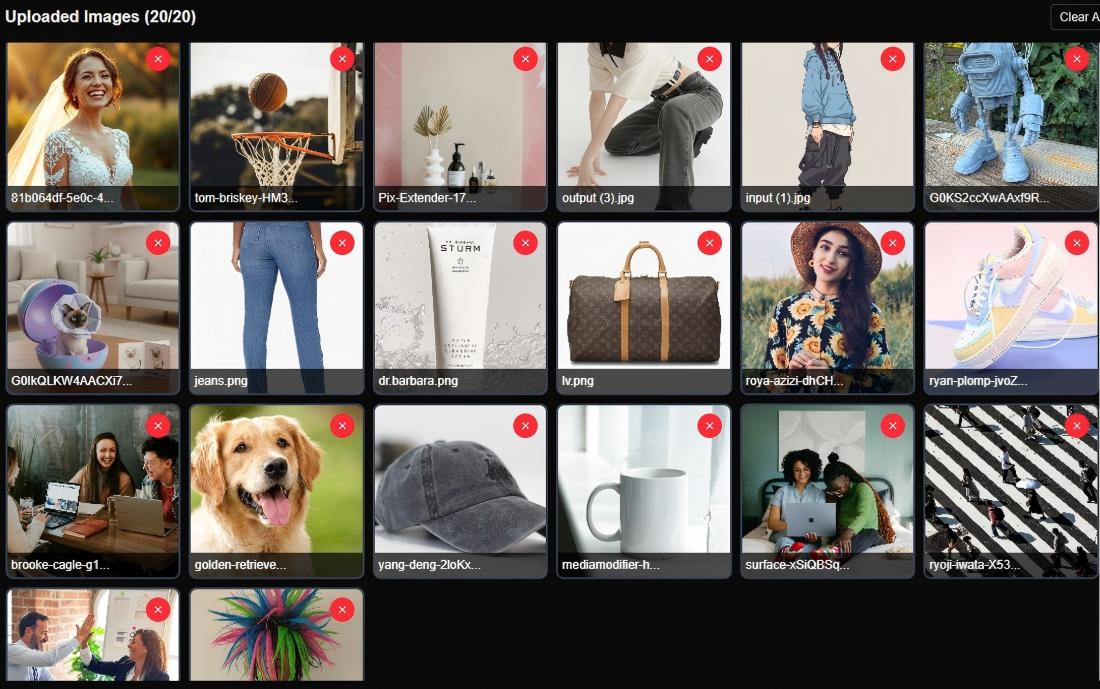
Batch Image Extension, Consistent Results
Pre-select the ratio and output size once, upload as many as 20 images, and get back a set that matches. Built for product catalogs, content calendars, and anyone who delivers more than one image at a time.
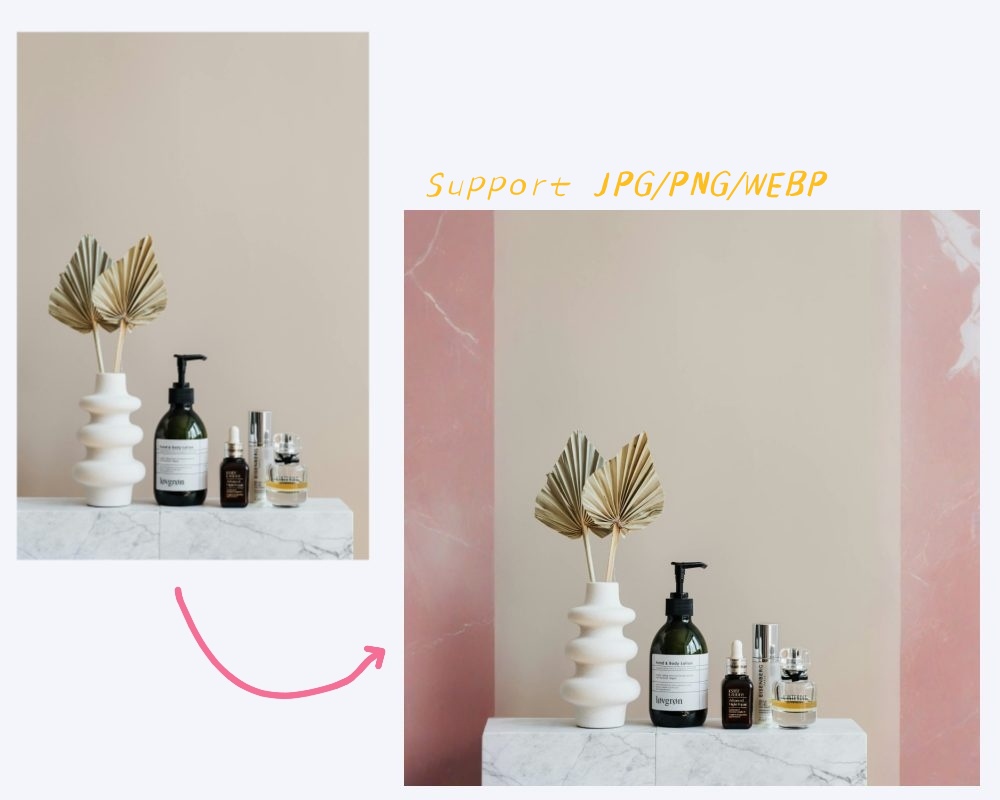
Extend Image Borders, Export Ready-to-Use Files
Export JPG, PNG, or WEBP at the exact image dimensions your CMS, ad platform, or print shop asks for. No post-processing, no second resize - download and publish.
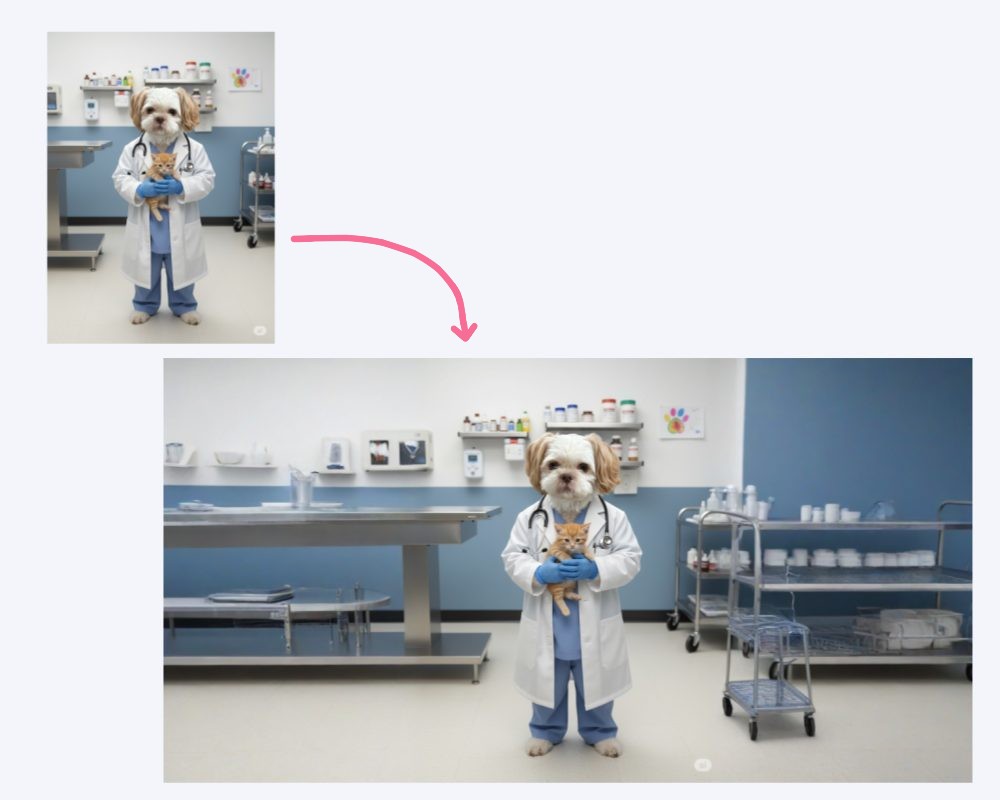
Content-Aware AI Outpainting: Your Subject Never Moves
PixExtender generates outward from the edges of an image seamlessly - everything inside the original frame (faces, products, text) stays exactly as you shot it. It's an extension, not a re-imagination.
How to Use the AI Image Expander in 3 Steps
Upload Your Image
Drag and drop - JPG, PNG, or WEBP
Expand Your Image
Choose a preset or custom aspect ratio, then click 'Extend Image'
Download in Seconds
Download your extended image in seconds - full quality, ready to publish
Uncrop and Expand Images for Every Use
From marketplace listings to story posts to rescued photos - expand your images online, free to try
Creators: One Image, Every Aspect Ratio
Turn one visual into every format your calendar needs: 4:5 feed, 9:16 story, 2:3 pin, 16:9 thumbnail - the artwork extends, the message stays intact.
E-commerce: Product Images to Spec
Extend product photos to marketplace requirements - 1:1 listings, wide category banners - without reshooting. Batch a whole SKU set to one consistent look.
Photographers: AI Outpaint the Frame
Fix composition after the shoot with an AI photo extender: recover cropped edges, extend skies and interiors, give tight frames room to breathe.
Everyday Fixes: Uncrop for Free
Uncrop a screenshot, complete a cut-off picture, widen a wallpaper with our free AI image extender. Upload, extend, done - free credits to start.
Pricing for PixExtender
New users get free credits to start!
Basic
$8.3/month
$99/year
- 2400 Credits renew yearly
- Up to 1200 images
- Max resolution 2000x2000
- Batch processing
- No watermark
- Commercial license
- Email support
Creator
$20.8/month
$249/year
- 6600 Credits renew yearly
- Up to 3300 images
- Max resolution 3000x3000
- Batch processing
- No watermark
- Commercial license
- Priority support
Master
$41.6/month
$499/year
- 14400 Credits renew yearly
- Up to 7200 images
- Max resolution 4096x4096
- Batch processing
- No watermark
- Commercial license
- Priority support
Frequently Asked Questions
What is an AI image extender?
An AI image extender adds new, matching content around the edges of a picture - letting you uncrop and expand an image using AI instead of stretching or scaling it. You get a larger or differently shaped image that still looks like the original photo, with nothing inside the frame changed.
How does AI image extension work?
PixExtender analyzes the edges of your photo - lighting, texture, depth, and style - and generates new pixels outward from them. The original image is never modified; the new areas are built to blend with it seamlessly.
How do I use the AI image extender?
To use PixExtender AI Image Extender, upload your image, choose an aspect ratio, platform preset, or custom size, and click Extend. The tool expands images using generative AI, and in a few seconds you'll get a full-quality result ready to download.
What image formats does PixExtender support?
PixExtender supports JPG, PNG, and WEBP formats for both input and output, but transparent background images are not supported.
Is your AI image extender free?
Yes! Our AI image extender offers free credits. Simply sign up for a free account, and you'll instantly receive complimentary credits to start extending and uncropping your images.
Will AI image extension affect image quality?
No, PixExtender keeps images sharp and high-resolution without quality loss. Results may look unnatural only with extreme aspect ratio changes or when adding large new body parts/surroundings to people in the image. For best results, use moderate extensions.
Can I control the extension area or customize the output?
Yes, you can usually control the extension area and customize the output. You choose the aspect ratio or target size, and PixExtender extends the image in those directions while keeping the original content intact and looking natural.
Can I extend product photos to meet Amazon or other marketplace size requirements?
Yes - e-commerce teams use PixExtender AI Image Extender for exactly this. Upload your product images, set the required ratio or dimensions (for example, extending a 3:4 photo to a 1:1 listing format), and the AI extends only the background. The product, logo, and any text stay exactly as photographed. With batch extension you can bring an entire catalog to one consistent spec.
Does PixExtender support batch image extension?
Yes! PixExtender supports batch image extension for Creator plan and above. You can upload and extend up to 20 images at once, saving you time when processing multiple photos.
Can I resize images to custom dimensions using the AI Image Extender?
Yes! You can use PixExtender AI Image Extender to set custom dimensions before extension (4096px max).
Is PixExtender an image enlarger?
Yes, but it's smarter. While a standard image enlarger simply scales up existing pixels (often causing blur), PixExtender uses AI to 'paint' new details, effectively allowing you to enlarge your images while adding realistic background content.
What are common failure reasons and retry suggestions?
Common issues include: 1) Transparent background images are not supported and will fail - please use images with opaque backgrounds; 2) Inappropriate content (adult, violent, or harmful images) - please use appropriate, professional images; 3) Extreme aspect ratio changes - avoid compressing very tall images to very wide formats or vice versa. For best results, use moderate expansions or smaller ratio changes to maintain image quality and natural appearance.
More AI Image Extenders


Expand Your Images Online - Seamlessly and Effortlessly
Stop cropping away what matters. Use our AI to extend the image to the exact size you need - full quality, no design skills required. Try the AI image extender free today.