
Free Online AI Image Enlarger – Enlarge, Upscale & Convert Images Without Losing Quality
PixExtender is the free online image enlarger built for photos that deserve better resolution. Upload any image and enlarge it online without losing quality — up to 4096px. Whether you need an online AI image upscaler, a smart converter, or a tool to simply make images bigger, this free online image enlarger delivers crystal-clear results in seconds. Try it free!
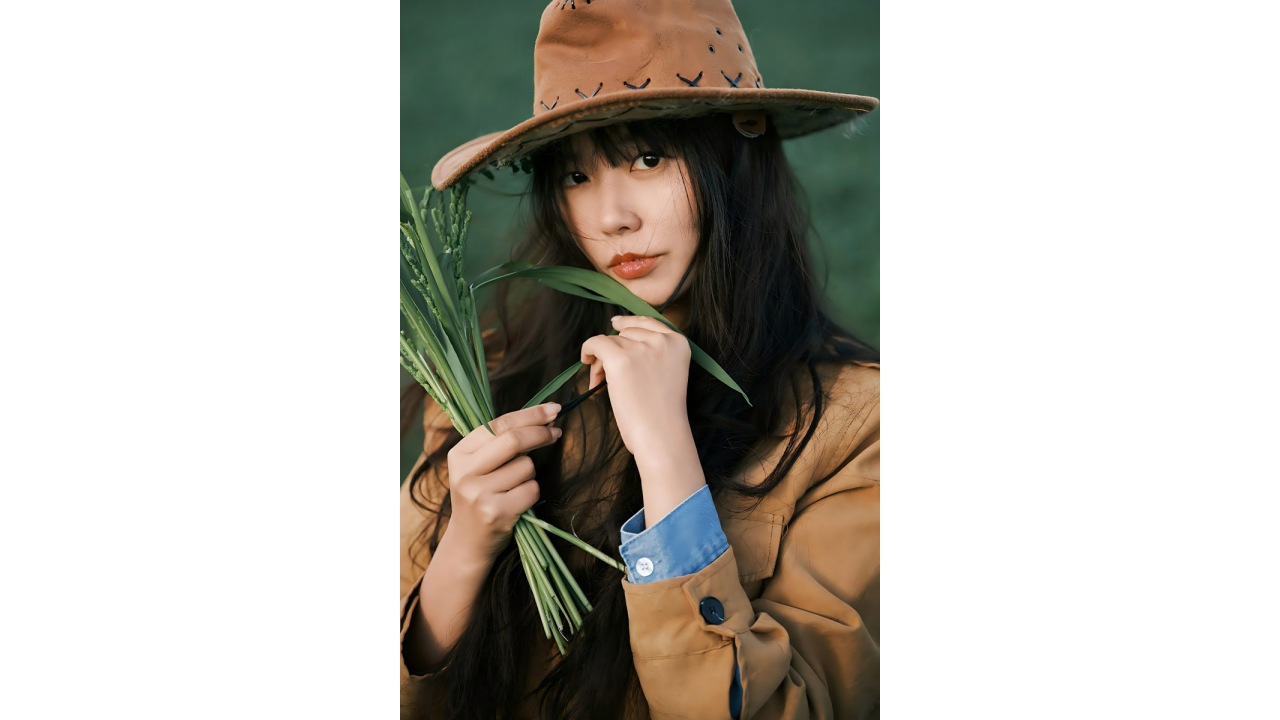
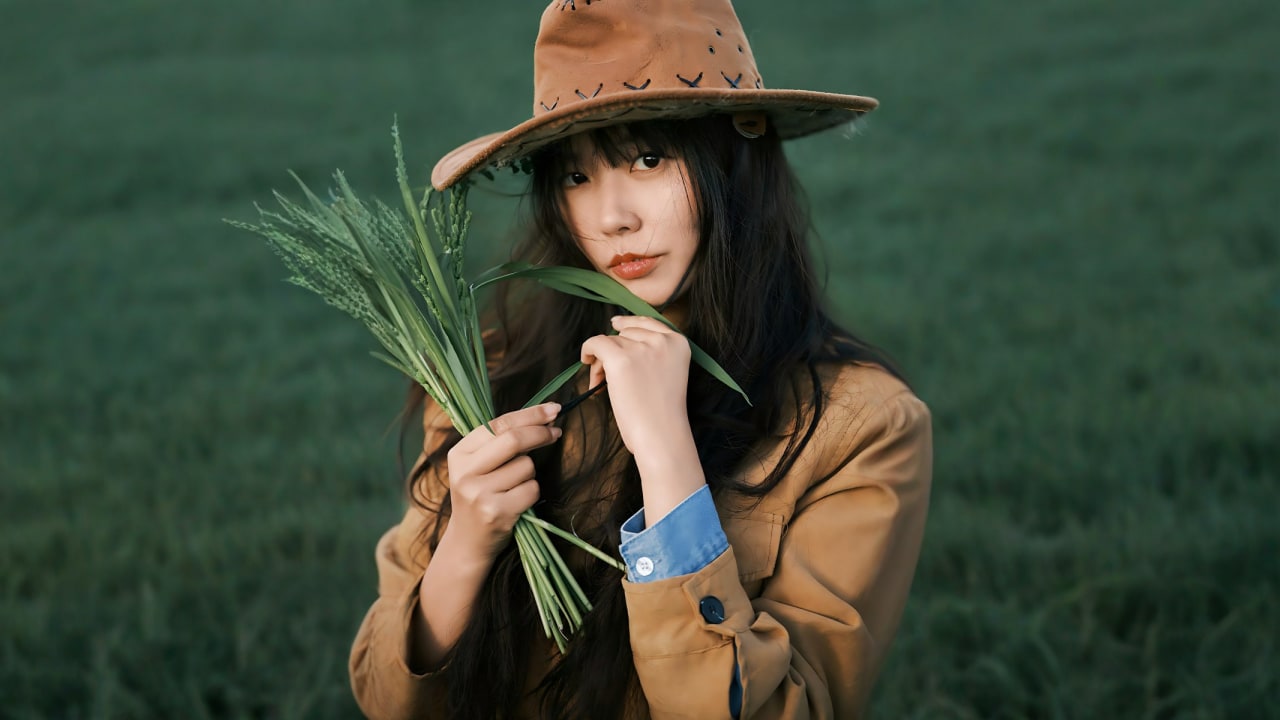
More AI Image Extenders


Why Our Online Image Enlarger Delivers Images Without Losing Quality
AI-Powered Image Enlarger: Advanced AI Models, Real Detail
This ai-powered image enlarger uses advanced AI models trained on millions of images to analyze every pixel before expanding your photo. The resulting image isn't a stretched copy — it's a genuinely sharper, more detailed version reconstructed by artificial intelligence. No blur, no guesswork, just advanced image synthesis that looks completely natural.
Enlarge Image to 4K – Upscale Images Without Pixelation
Increase image size up to 4096x4096px — an effective 8x enlargement from standard web resolutions. Our AI upscaling technology preserves sharpness at every zoom level, so you get high-resolution photos without losing quality even at 100% crop. Better than any traditional resizer.
Batch Photo Enlarger: Make Images Bigger at Scale
Need to enlarge pictures or make photos bigger in bulk? PixExtender's batch photo enlarger processes up to 20 images at once. Set your target size once and make them bigger across your entire library — perfect for e-commerce catalogs, photo portfolios, and marketing assets.
Resize Image Online with Editor Features, Sharpener & AI Enhancer
PixExtender is more than a basic image enlarger tool. It combines resize image controls, sharpener adjustments, and image enhancer settings in one workflow. Think of it as an online photo editor and ai photo enhancer in one — upload, enlarge, sharpen, and download without opening a separate photo editor.
Expand Images with AI - Whatever Doesn't Fit, Make It Fit
Three problems bring people here: platform sizes that crop your content, marketplace specs your product images don't meet, and pictures cropped too tight. Use PixExtender AI Image Extender to fix all three - free online, no design skills needed.
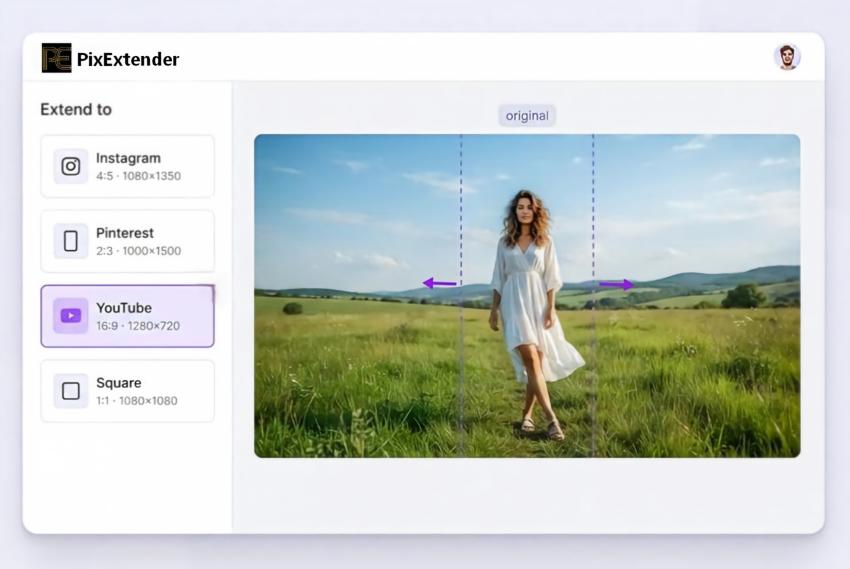
Extend Your Image to Any Aspect Ratio
Instagram trims your 4:5, Pinterest wants 2:3, YouTube needs 1280x720 - and auto-centering cuts off exactly the part you cared about. Pick a preset and expand your image to fit the feed, instead of letting the feed crop it.
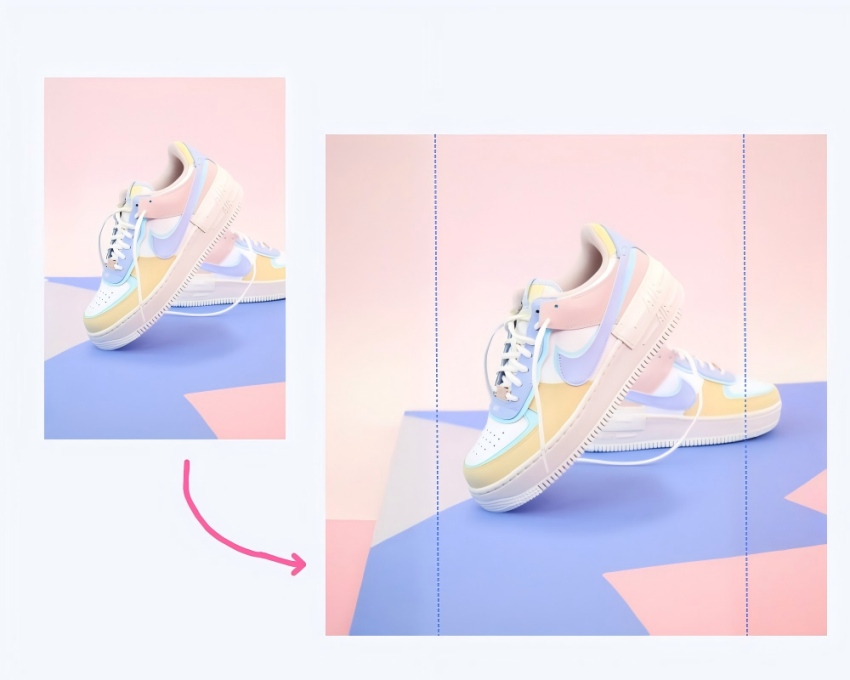
Expand Product Images to Marketplace Specs
Your product shot is 3:4 but the listing needs 1:1? The AI extends only the background - product, logo, and price text stay exactly as shot, with no drop in image quality. Batch a whole catalog to one consistent spec, no reshoot needed.
Uncrop Images and Restore Missing Details
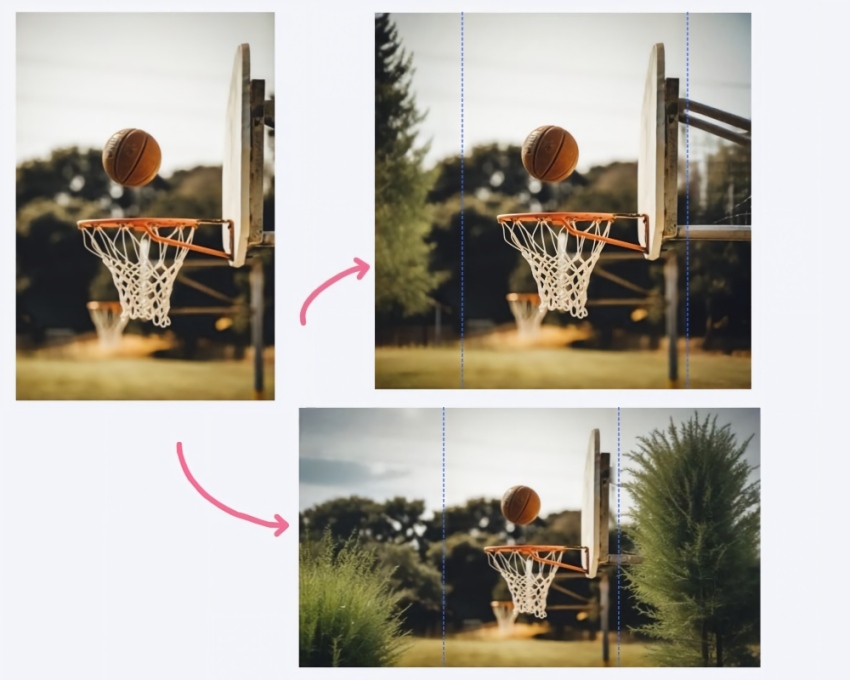
A sky that ends too soon, a subject jammed against the edge, a scan that lost its margins. AI outpainting rebuilds the scene - matching light, texture, and depth of field - without moving your subject a single pixel.
Batch Image Extension, Consistent Results
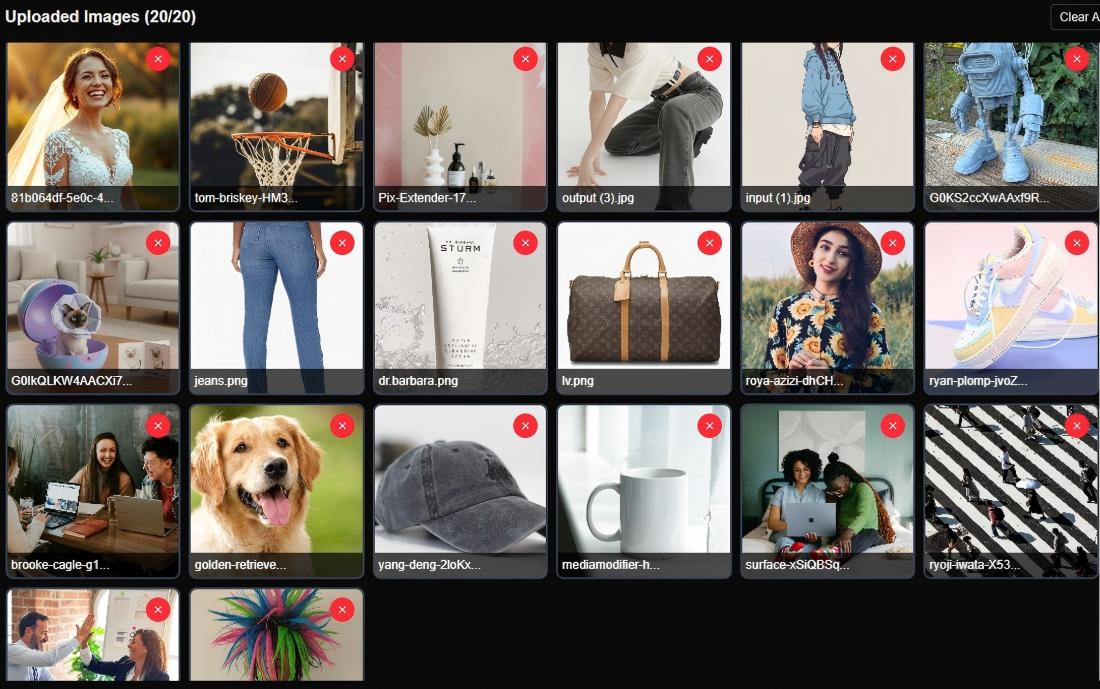
Pre-select the ratio and output size once, upload as many as 20 images, and get back a set that matches. Built for product catalogs, content calendars, and anyone who delivers more than one image at a time.
Extend Image Borders, Export Ready-to-Use Files
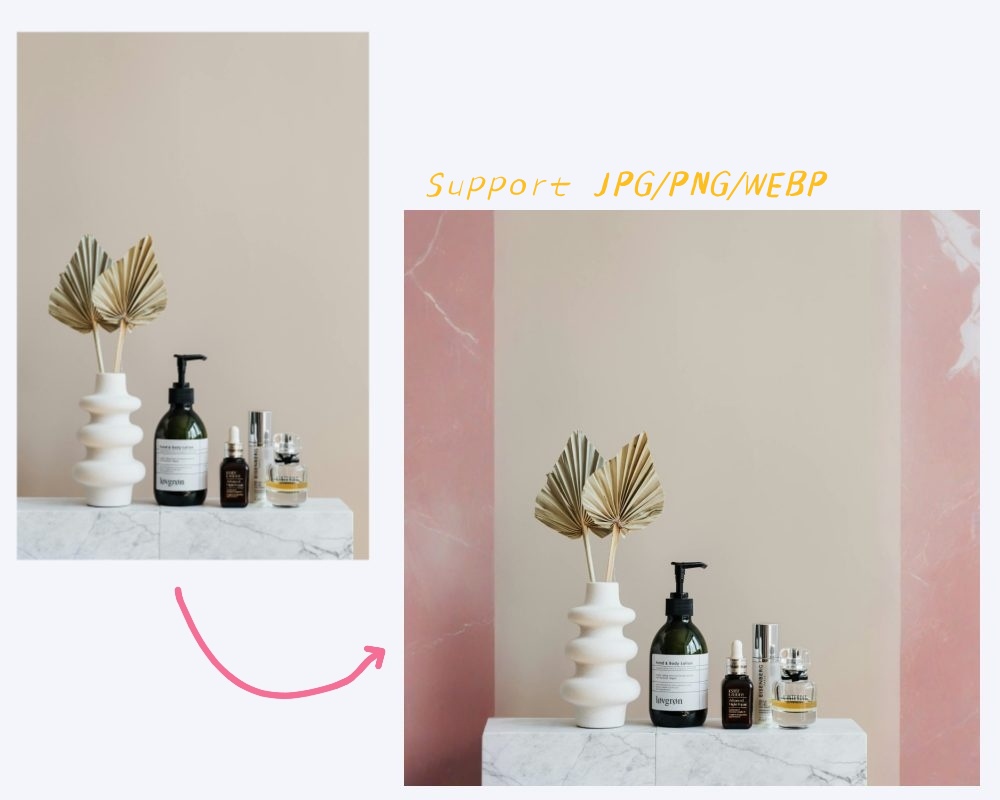
Export JPG, PNG, or WEBP at the exact image dimensions your CMS, ad platform, or print shop asks for. No post-processing, no second resize - download and publish.
Content-Aware AI Outpainting: Your Subject Never Moves
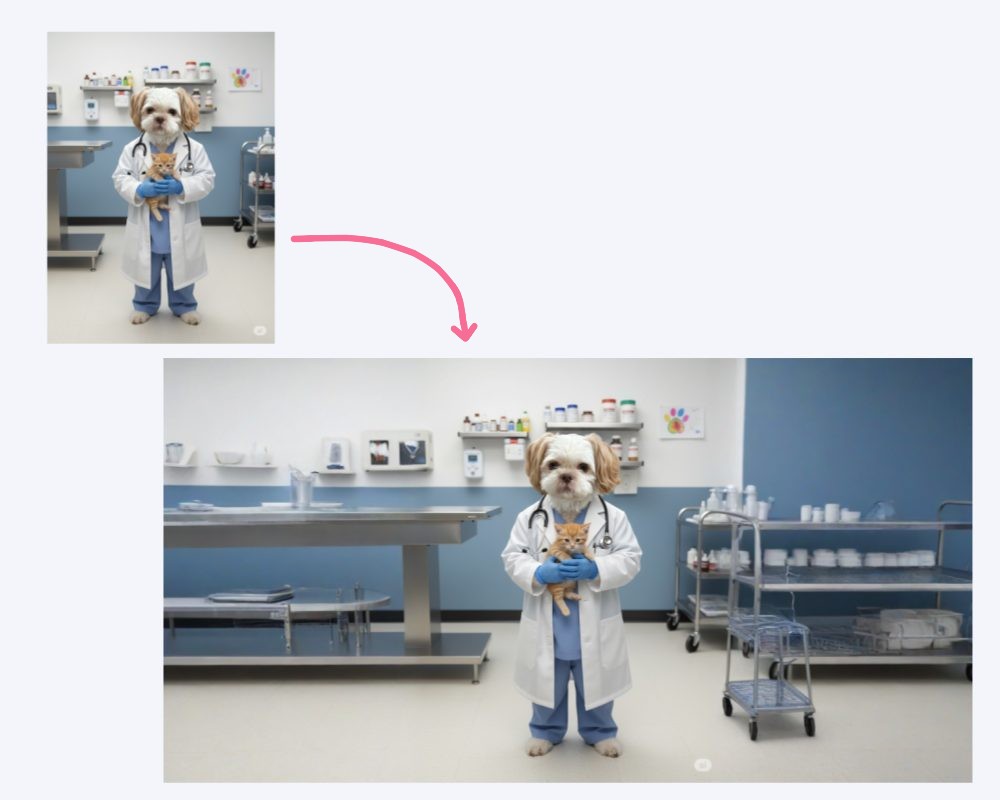
PixExtender generates outward from the edges of an image seamlessly - everything inside the original frame (faces, products, text) stays exactly as you shot it. It's an extension, not a re-imagination.
How to Use the AI Image Expander in 3 Steps
Upload Your Image
Drag and drop - JPG, PNG, or WEBP
Expand Your Image
Choose a preset or custom aspect ratio, then click 'Extend Image'
Download in Seconds
Download your extended image in seconds - full quality, ready to publish
Uncrop and Expand Images for Every Use
From marketplace listings to story posts to rescued photos - expand your images online, free to try
Creators: One Image, Every Aspect Ratio
Turn one visual into every format your calendar needs: 4:5 feed, 9:16 story, 2:3 pin, 16:9 thumbnail - the artwork extends, the message stays intact.
E-commerce: Product Images to Spec
Extend product photos to marketplace requirements - 1:1 listings, wide category banners - without reshooting. Batch a whole SKU set to one consistent look.
Photographers: AI Outpaint the Frame
Fix composition after the shoot with an AI photo extender: recover cropped edges, extend skies and interiors, give tight frames room to breathe.
Everyday Fixes: Uncrop for Free
Uncrop a screenshot, complete a cut-off picture, widen a wallpaper with our free AI image extender. Upload, extend, done - free credits to start.
Frequently Asked Questions About Our Image Enlarger
What Is an Image Enlarger, and Who Needs to Enlarge Pictures?
An image enlarger is an online tool that increases the dimensions of photos and images beyond their original size. Photographers use it to prepare prints, designers use it to resize images for ads and presentations, and e-commerce sellers use it to make images bigger for product listings. A modern AI image enlarger like PixExtender is also an image upscaler, photo enlarger, and ai image enhancer combined — instead of simply stretching pixels, it uses AI to generate new, accurate detail.
How Does an AI Image Enlarger Enlarge Images Without Losing Quality?
A standard resizer simply zooms into existing pixels, producing blur and a pixelated look. Our AI image enlarger works differently: this tool uses AI — specifically advanced AI models — to analyze your image and synthesize new pixels that match the original texture and lighting. The result is upscaled images online without losing quality. It's true artificial intelligence upscaling, not just interpolation.
How Do I Enlarge an Image Online for Free?
Using PixExtender is simple: 1) Upload your image in JPG, PNG, or WebP format. 2) Set your target image size — up to 4096px. 3) Click 'Enlarge Image'. 4) Download your upscaled result. This free online tool processes most images in under 30 seconds. It's free to use — sign up for a free account to get your starter credits with no credit card required.
What Popular Image Formats Does This Photo Enlarger Support?
Our photo enlarger supports the most popular image formats for both input and output: JPG, PNG, and WebP. Whether you're upscaling a jpg product shot, a png design file, or a webp web image, the converter handles them all. Note: images with transparent backgrounds are not currently supported — use solid-background images for best results.
Is This Free Online Image Enlarger Really Free?
Yes. PixExtender is free to use — sign up for a free account and you'll receive starter credits to begin enlarging photos and images right away. There are no hidden fees to try the tool. Our free online image enlarger gives every new user enough credits to experience the full quality of AI upscaling online without any commitment.
Does Enlarging an Image Make It Blurry or Pixelated?
With a traditional resizer, yes — scaling past the original size often causes blur and pixelation. Our AI image enlarger is built specifically to unblur and sharpen as it scales, so enlarged images stay crisp. It can even improve low-quality originals by restoring sharpness lost to compression. The goal is always to enlarge images without losing quality — not just to make them bigger.
How Much Can I Increase Image Size With PixExtender?
You can increase image size up to 4096x4096px — roughly 8x from a 512px original. There's no arbitrary cap; just set the exact output dimensions you need. The AI maintains photos without losing quality across significant size jumps. For the best results when you need to enlarge an image substantially, start from the highest quality original available.
Can I Enlarge Multiple Images Online Without Processing Them One by One?
Yes. PixExtender's batch image enlarger (Creator plan and above) lets you upload and process images online without needing to do each one separately. Enlarge images online without the manual back-and-forth — upload up to 20 photos at once, set a single enlargement size, and download all results together.
What Is the Maximum Output Size, and Can I Enlarge for Large-Format Printing?
The maximum output is 4096x4096px, which is more than enough for large-format printing and high-resolution displays. Results are delivered without quality loss, making PixExtender suitable for banners, posters, and other print media that require sharp detail at full size. For truly oversized prints, we recommend starting from the largest original available.
What's the Difference Between an AI Image Enlarger and a Traditional Image Upscaler?
A traditional image upscaler uses mathematical interpolation — it estimates new pixels by averaging neighbors, which is why results often look soft or blurry when you zoom in. Our AI image enlarger uses deep learning to reconstruct detail that looks genuinely natural. The upscaled output has real sharpness, not just a smoother version of a low-resolution original. That's the core difference between AI upscaling and a conventional resizer or photo editor approach.
What Causes Enlargement Failures and How Can I Avoid Them?
Common issues: 1) Transparent backgrounds — not supported, switch to a solid background first; 2) Inappropriate content — only upload suitable images; 3) Very low-quality originals — images online without enough source detail will produce weaker results. For the best experience, use the highest quality original you have and apply moderate enlargement steps rather than extreme jumps in image size without losing detail.
Enlarge Your Images Online Without Losing Quality — Free & Instant
Upload any photo and enlarge it online up to 4096px. Our free online AI image enlarger delivers sharp, high-resolution results without quality loss in seconds. Try it free today!