Two Tools That Sound Identical
Search for a way to fix a bad photo and you'll run into two tools that seem to promise the same thing: an image upscaler and a photo enhancer. Both claim to make your image "clearer" and "higher quality." So what's the actual difference—and which one do you need right now?
Here's the one-line answer to keep in your pocket:
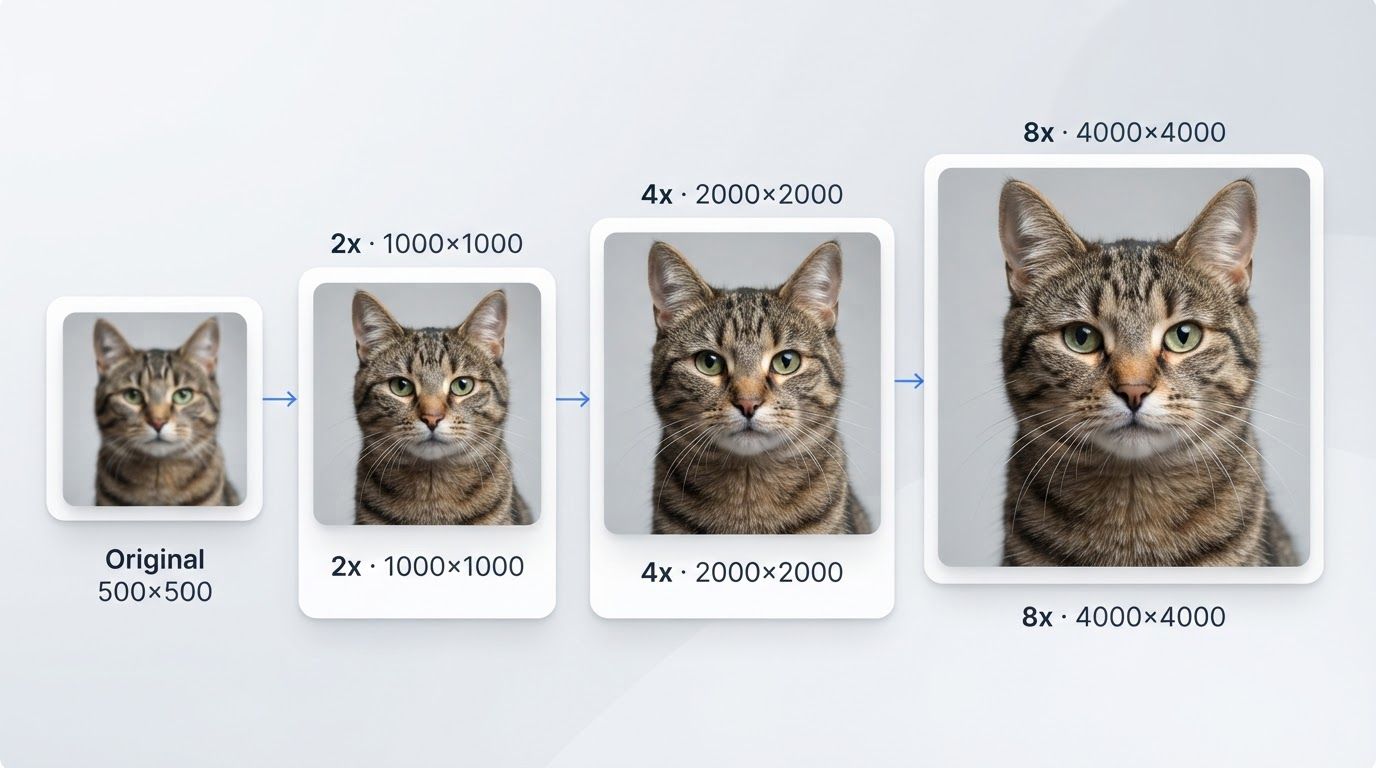
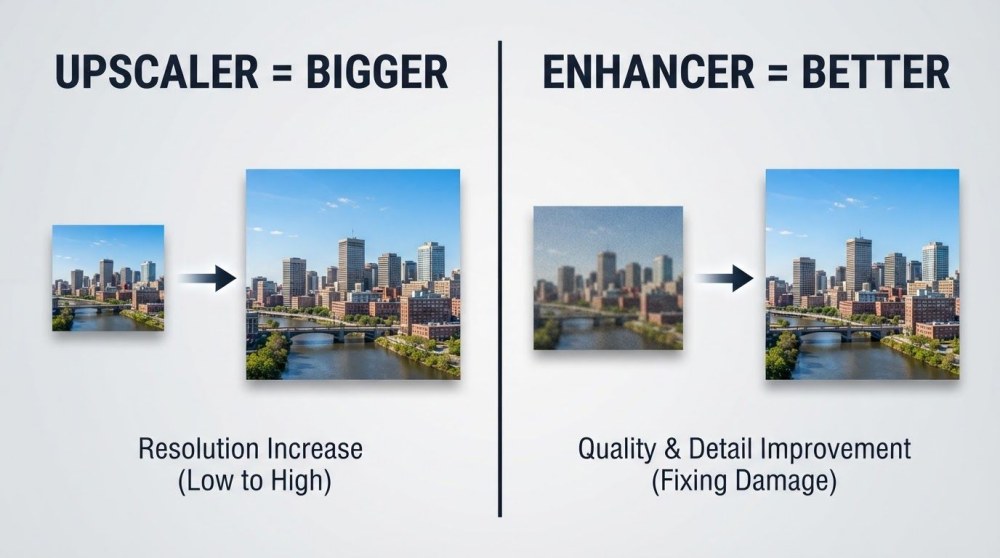
An upscaler is built to change the size of your image—you pick the factor (2x, 4x, 8x). An enhancer is built to change the quality—cleaner, sharper, better color—though it often enlarges the image a little too.
That single distinction explains everything else. Let's unpack it, look at real scenarios, and show you when to use both together. You can follow along with PixExtender, which offers both an Image Upscaler and a Photo Enhancer.
What an Image Upscaler Does
An image upscaler increases your image's resolution—the number of pixels it contains. A small 500×500 photo becomes 2000×2000 at 4x, so it can be printed larger or displayed on a big screen without turning blocky.
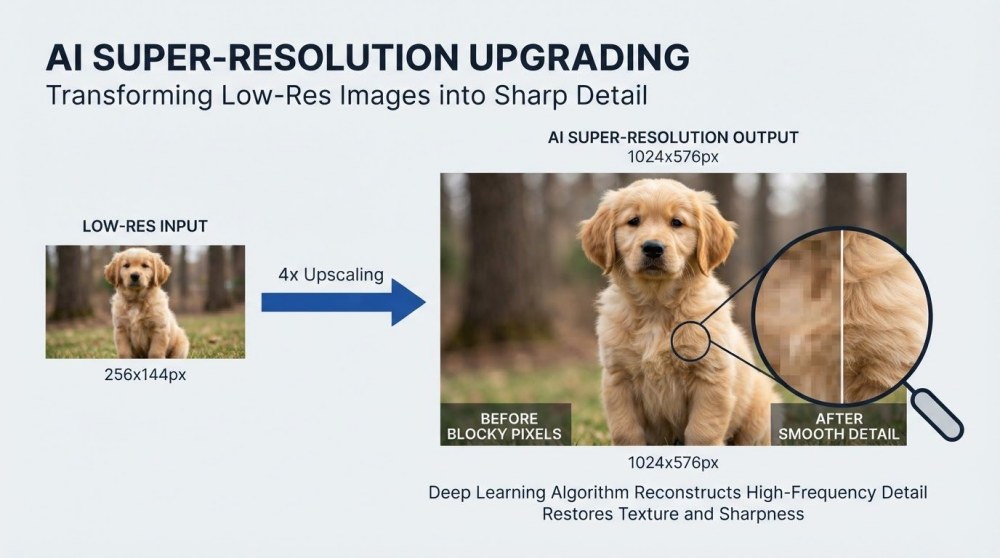
The magic is in how it adds those pixels. A basic resize just stretches existing pixels, which produces a blurry, pixelated mess. An AI upscaler uses super-resolution: it predicts and reconstructs realistic fine detail as it enlarges, so edges stay crisp and textures stay believable.
An upscaler is the right tool when:
- You need to print a photo larger than its current size allows
- A product image is too small for a marketplace's resolution requirements
- You want to display an old low-res image on a 4K screen
- You're enlarging AI-generated art to a usable size
What an upscaler does not do: it won't fix heavy noise, bad lighting, or motion blur beyond the detail it can reconstruct. Its job is size, not cleanup.
Try it: PixExtender Image Upscaler.
What a Photo Enhancer Does
A photo enhancer improves how good your photo looks. Rather than aiming at a specific size, it rebuilds the pixels you already have to be cleaner and more attractive—and many enhancers also enlarge the result somewhat (often around 2x) as part of the process. Under the hood it combines several operations:
- Denoising — removes grain and digital noise
- Sharpening — recovers soft, out-of-focus detail
- Color and lighting correction — brightens, balances, and adds vibrance
- Face enhancement — restores clarity to blurry faces
The result is the same-size image that simply looks better: crisper, cleaner, more vivid.
An enhancer is the right tool when:
- A photo came out blurry, grainy, or too dark
- A selfie or portrait needs to look sharper for social media
- A compressed image has visible artifacts you want smoothed out
- The photo is already the right size—it just looks poor
Try it: PixExtender Photo Enhancer.
Head-to-Head Comparison
| Image Upscaler | Photo Enhancer | |
|---|---|---|
| Main job | Increase resolution / size | Improve visual quality |
| Changes dimensions? | Yes—you choose (2x, 4x, 8x) | Sometimes, modestly (a side effect, not the goal) |
| Core technology | Super-resolution | Denoise, sharpen, color, face repair |
| Fixes noise & blur? | Partially, as a side effect | Yes, that's the whole point |
| Best for | Printing, 4K, tiny images | Blurry/grainy/dull photos |
| One-line memory | Made bigger (size is the goal) | Made better (quality is the goal) |
Which One Should You Use?
Match the tool to the problem, not the vague goal of "make it better":
- "My image is too small." → Upscaler. Size is a resolution problem.
- "My image is blurry / noisy / dull." → Enhancer. Clarity is a quality problem.
- "My image is small and looks bad." → Both (see below).
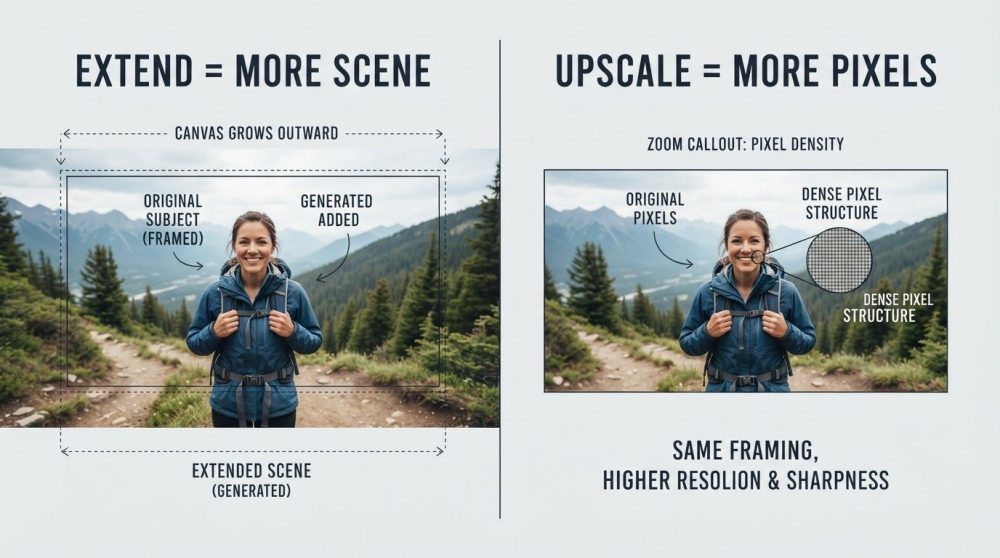
- "I want a different shape / more background." → Neither—that's an image extender job. See Image Extender vs Image Upscaler.
A quick gut check: if you'd be happy with the photo as it looks but just need it larger, upscale. If the size is fine but it looks wrong, enhance.
Can You Use Both? Absolutely
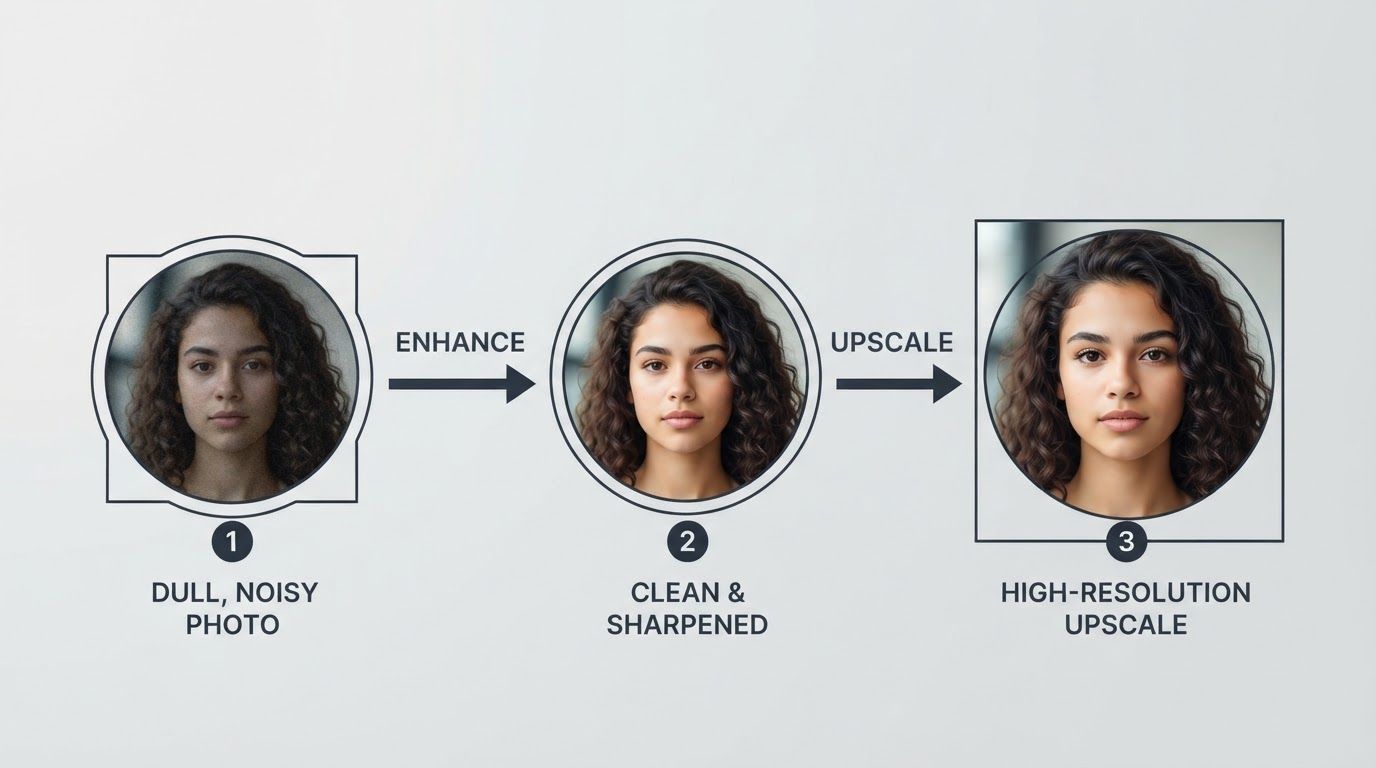
The two tools are complementary, and the best results often come from using them together. The recommended order:
- Enhance first — clean up noise, sharpen, and fix color while the image is still at its original size. This gives the upscaler a clean starting point.
- Upscale second — enlarge the now-clean image to your target resolution.
Enhancing before upscaling matters: if you upscale a noisy photo first, you enlarge the noise too, making it harder to remove. Clean, then grow.
Because PixExtender provides both the Photo Enhancer and Image Upscaler in one workspace, you can run this two-step workflow without switching tools or re-uploading between sites.
Frequently Asked Questions
Does upscaling also enhance photo quality?
Partially. A good AI upscaler reconstructs some detail as it enlarges, so the result can look sharper than a plain resize. But it isn't built to remove heavy noise, fix bad lighting, or correct color—that's the enhancer's job. For a truly clean, large image, enhance first, then upscale.
Will a photo enhancer make my image bigger?
Often, a little. Many enhancers enlarge the image moderately (commonly around 2x) as part of processing—but enlargement is a side effect, not the purpose, and you usually can't dial in the factor. If your main goal is a much larger image at a resolution you control, use an image upscaler instead.
Which should I use for a blurry photo I also want to print large?
Use both, in order: enhance the blur and noise first, then upscale to print size. This gives you a clean image at high resolution. On PixExtender you can do both steps in one place.
Is "enhancer" just another word for "upscaler"?
No, though many products blur the line by combining features. The precise distinction is purpose: an upscaler exists to increase size at a factor you choose, while an enhancer exists to improve quality (even if it enlarges a bit along the way). Knowing which job you actually need helps you pick the right tool and avoid disappointing results.
What if I need a different aspect ratio, not just a bigger image?
Neither tool reshapes your photo. To make an image wider, taller, or square by adding new background, you need an image extender. See our full guide: Image Extender vs Image Upscaler.
The Bottom Line
Upscaler = bigger. Enhancer = better. When your problem is size, upscale. When your problem is quality, enhance. When it's both, enhance first and upscale second.
Want to see the difference on your own photo? Try both tools free on PixExtender:
- Image Upscaler — increase resolution up to 4K
- Photo Enhancer — sharpen, denoise, and revive quality
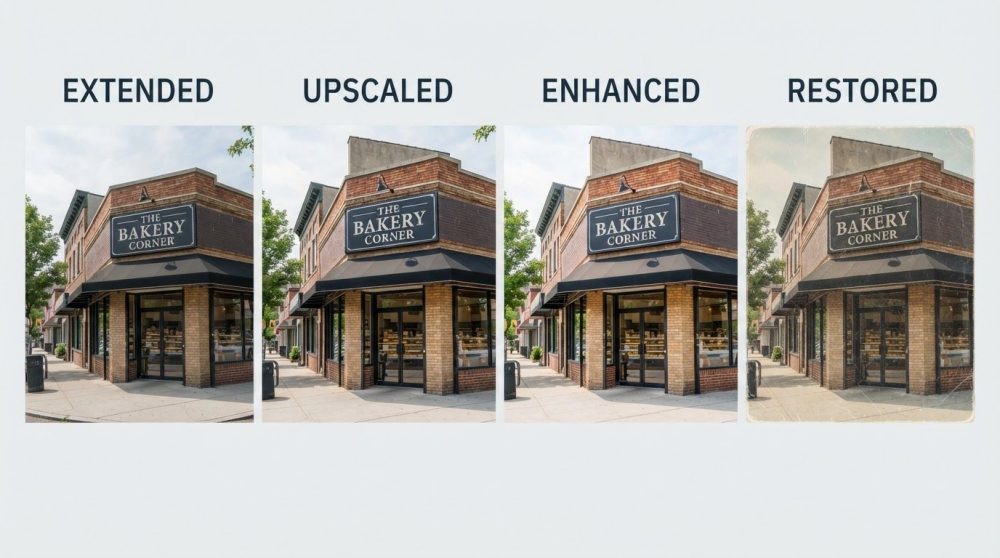
Still deciding between all your options? Read the full overview: Upscale vs Enhance vs Extend vs Restore.
Start free with PixExtender → PixExtender.com